Desk Cable Management Without Drilling: Plan the Mount
Content restored from the November 6, 2026 store snapshot. This browsing-only preview does not accept orders or payments.
To manage desk cables without drilling, first identify what needs support: cable ends, a route along the desk, or equipment underneath. Then compare adhesive, clamp-mounted or freestanding options against the desk's surface and shape. “No drilling” does not automatically mean no marks, unlimited load or compatibility with every desk.
Choose a mounting approach before choosing a product
| Approach | What to check | Main trade-off |
|---|---|---|
| Adhesive holder | Surface compatibility, load, preparation, removal instructions | Needs a suitable finish and correct installation |
| Clamp-mounted accessory | Desk thickness, edge shape, frame and drawer clearance | Avoids drilling but needs an accessible compatible edge |
| Freestanding holder or cable storage | Footprint, stability, access and manufacturer ventilation guidance | Uses desk or floor space |
| Reusable ties around an existing suitable route | Cable access and the route's movement | Organises a bundle but does not replace a suitable support |
This table describes generic approaches. It does not confirm that every DeskBoost clip or tray uses one of these methods. Verify the mounting system of the exact selected version before ordering.
Map three points on each cable
- Device connection: where the cable starts and how often you unplug it.
- Support point: where it falls, catches or needs guiding.
- Destination: where the other end connects and how you will reach it.
A phone charging cable that falls behind the desktop may need one accessible holding point. A group of leads running underneath has a different problem. Start with the route you need rather than filling every surface with clips.
Check the surface and removal instructions
Inspect the finish where you want to mount the accessory. Confirm whether the manufacturer permits that surface and orientation. For a clamp, measure the edge including any lip, bevel or frame beneath it. For adhesive, follow the exact product's preparation, waiting and removal instructions.
For example, Command's own guidance ties correct use to surface preparation, waiting time, weight limits and removal instructions. Those instructions apply to its products; they should not be copied onto an unrelated adhesive clip. No-drill mounting still requires product-specific checks.
Count cable positions and pack quantities separately
Imagine you want a phone cable and laptop cable accessible at the front, with a third lead near a monitor. That is three planned holding positions, not automatically a recommendation for a particular three-piece pack: each holder still needs to fit the cable and mounting surface.
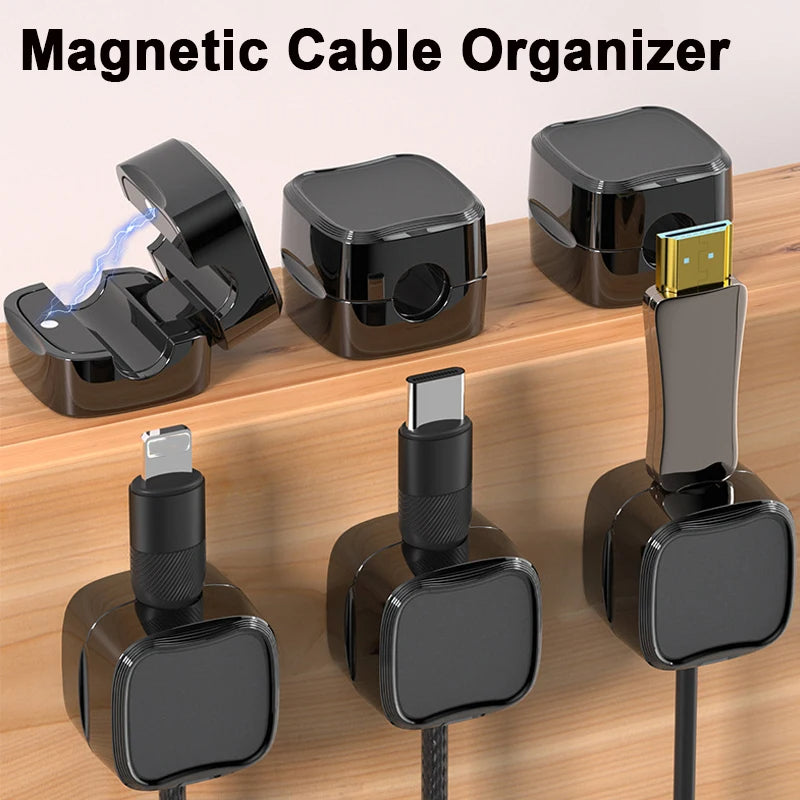
Magnetic Cable Clips include labelled three- and six-piece options alongside other variants. Check quantity and the selected image. The word “magnetic” alone does not tell you how the holder's base attaches to the desk.
Keep movement and access in the plan
Leave the route loose enough for the movements you actually make. If the desk changes height, follow the desk manufacturer's cable-routing instructions across its full travel. Keep leads clear of moving parts and make sure you can reach connectors without dismantling the whole setup. Do not use small cable-end clips to support equipment unless their instructions expressly allow it.
Before adding a tray
A tray is a separate choice from a desktop clip. Measure around drawers, rails and the desk frame, then confirm mounting method, dimensions and supported load. The DeskBoost tray listing should not be assumed drill-free without confirmation for the selected version.
Common questions
Is adhesive always damage-free?
No. Suitability depends on the specific adhesive, finish and installation/removal process. Confirm those details before using it on a rented or valuable desk.
Do magnetic clips require a metal desk?
The name alone cannot establish that. A product may use a magnet within its cable-retaining mechanism while its base attaches another way. Check the mounting instructions for the exact item.
Read our clips-versus-organisers-versus-tray comparison, then browse cable organisers once you know the required fit and mounting method.
By DeskBoost. Product options checked October 20, 2026. This is a planning guide, not a hands-on product test. Check the selected variant before ordering.