
Desk Mats for 80–100 cm Desks: Fit Examples
Content restored from the November 6, 2026 store snapshot. This browsing-only preview does not accept orders or payments.
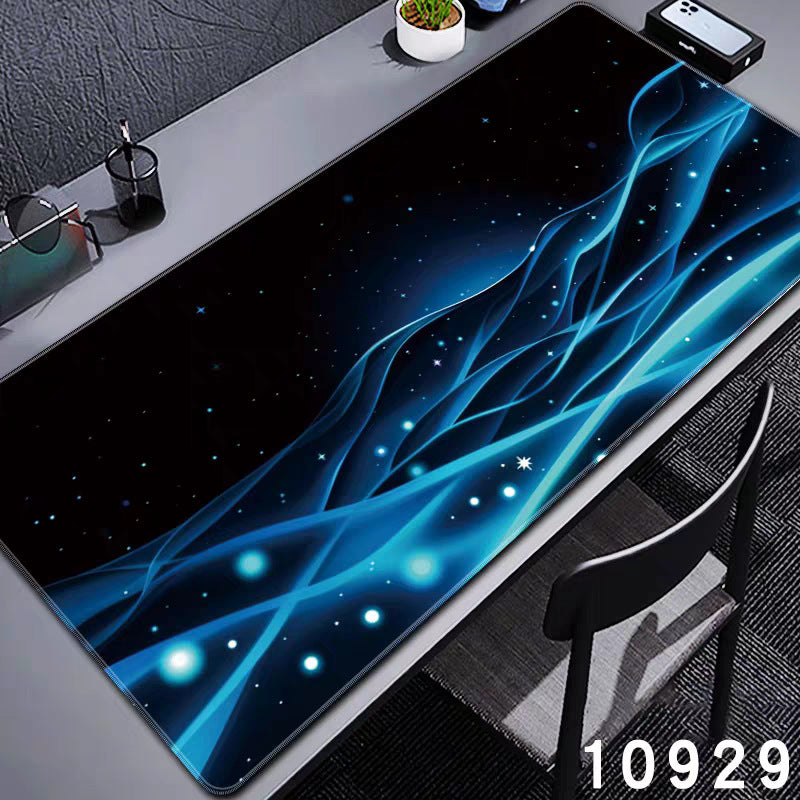
For an 80–100 cm desk, start by comparing 60, 70 and 80 cm-wide mats against the clear surface you actually use. A mat equal to the desk width leaves no side clearance. Depth, the monitor base and your mouse movement can rule out a size that fits across the desk.
How much room is left beside the mat?
Subtract mat width from clear desk width, then divide by two if you want to centre it. The table below shows the space on each side. These are geometric examples, assuming an unobstructed rectangular desktop; they are not fit guarantees.
| Clear desk width | 60 cm mat | 70 cm mat | 80 cm mat |
|---|---|---|---|
| 80 cm | 10 cm per side | 5 cm per side | 0 cm per side |
| 90 cm | 15 cm per side | 10 cm per side | 5 cm per side |
| 100 cm | 20 cm per side | 15 cm per side | 10 cm per side |
For example, a 70 cm-wide mat centred on an 80 cm desk leaves 5 cm on each side. A 90 cm-wide mat is wider than that desk. If a lamp or shelf occupies part of the surface, repeat the calculation using the remaining clear width.
Match those widths to the catalogue
The Large Desk Mat includes a 600 × 300 mm option, equivalent to 60 × 30 cm. The Speed Work Mat includes 30 × 70 and 30 × 80 cm labels; these correspond to 70 × 30 and 80 × 30 cm footprints when the longer edge runs across the desk. Colour and style availability vary.
For broader size comparisons, including larger footprints, use the desk mat size guide. Select the exact variant on the product page; a photograph of a wide setup does not establish the size of the option in your cart.
Check depth with the monitor in place
A 30 cm-deep mat needs a clear 30 cm front-to-back rectangle. Measure from the front of your intended mat position to the nearest obstruction. A monitor base, stand foot or shelf support can reduce usable depth even when the furniture itself is 50 or 60 cm deep.
Illustrative example: your clear surface is 80 × 35 cm. A 70 × 30 cm mat fits that rectangle with 10 cm spare width and 5 cm spare depth in total. An 80 × 40 cm mat exceeds its depth by 5 cm. The first option still needs to accommodate your keyboard and the space you use to move your mouse.
Rehearse the layout before ordering
- Position your laptop or monitor, keyboard and mouse as you normally use them.
- Mark the candidate mat boundary with paper. Avoid adhesive on a finish that might mark.
- Type, move the pointer and reach for the items you use often.
- Check that the mat boundary stays within the desk and does not cross an awkward step or obstruction.
- Choose the size and pictured style together on the product page.
Common questions
Can an 80 cm mat fit an 80 cm desk?
Its nominal width matches, but there is no spare width. Recheck both dimensions, edge shape and your preferred clearance. A smaller footprint may give you more placement flexibility.
Will a 60 cm mat fit a full-size keyboard and mouse?
Measure your actual keyboard and mouse movement. Keyboard widths and pointing habits differ, so desk width alone cannot answer this. A paper outline makes the trade-off visible before purchase.
Should the stand sit on the mat?
Plan whichever arrangement keeps the equipment stable and fits the available depth. Include the stand's complete base footprint in your measurement; do not assume the mat must cover the whole workstation.
Compare the available desk mats after measuring your layout. For the rest of a compact workstation, see our small-desk setup guide.
By DeskBoost. Product options checked October 20, 2026. This is a planning guide, not a hands-on product test. Check the selected variant before ordering.